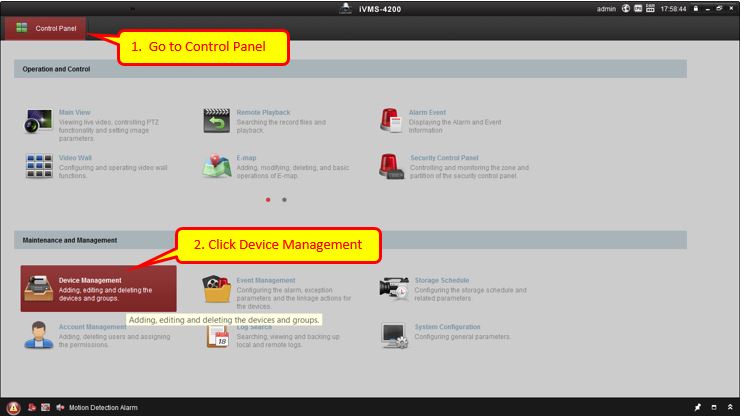
- Start ivms 4200, from control panel click device management.
-
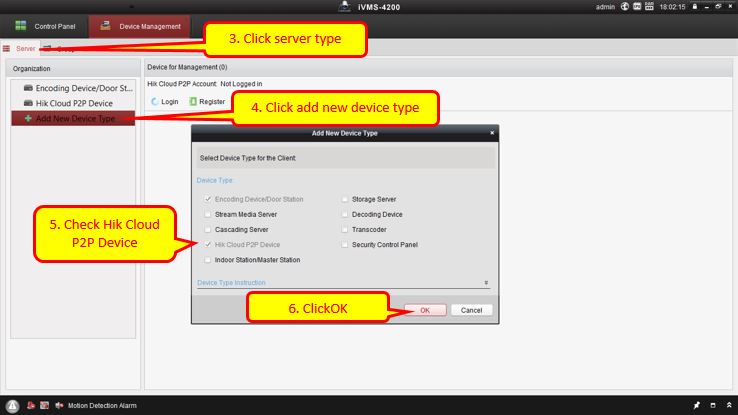
In device management click server tab then click add new device type. A new device type window sill be shown then click
-
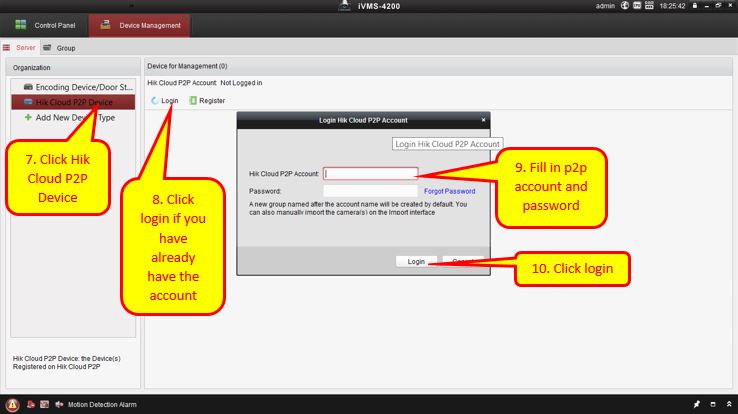
In Hik Cloud P2P Device, click Login, fill in the account and password then click login.